 USD
USD EUR
EUR GBP
GBP CAD
CAD AUD
AUD HKD
HKD JPY
JPY KRW
KRW SGD
SGD NZD
NZD THB
THB TWD
TWD 繁體中文
繁體中文 日本語
日本語 한국어
한국어 ไทย
ไทย Français
 Español
 Deutsch
 Português
 italiano
 Nederlands
 English



By UnblockTechTVBox | 20 June 2015 | 0 Comments
How To Reset UBOX Gen 2?
Unblock TV box, since the beginning of UBOX2, has gradually entered people's attention. Its appearance design and internal functions have surprised users who have used it. The number of live channels and on-demand content inside the UBOX TV box is very rich, and the search results are also very complete. One drama can be searched for all versions, HD and Blu-ray, Mandarin, Cantonese, English can be searched out at one time, which is very convenient.
But TV boxes and other electronic products have a common problem, that is, they will become more and more stuck after a period of use, because after a long time of watching, after a long time of use, a lot of log files will be left, leaving a lot of caches. This will make our TV box more and more stuck. There are many ways to solve the TV box being stuck, and the fastest and most convenient way is to restore the UBOX TV box to factory settings.
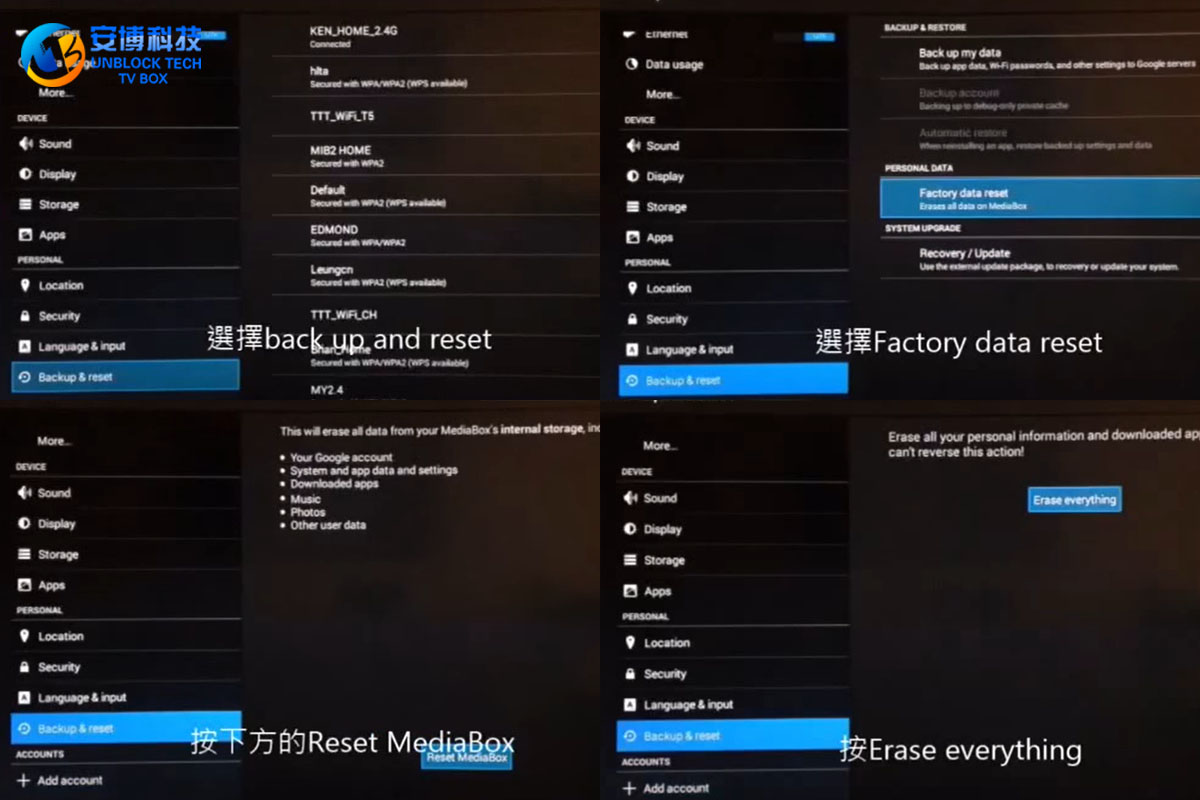
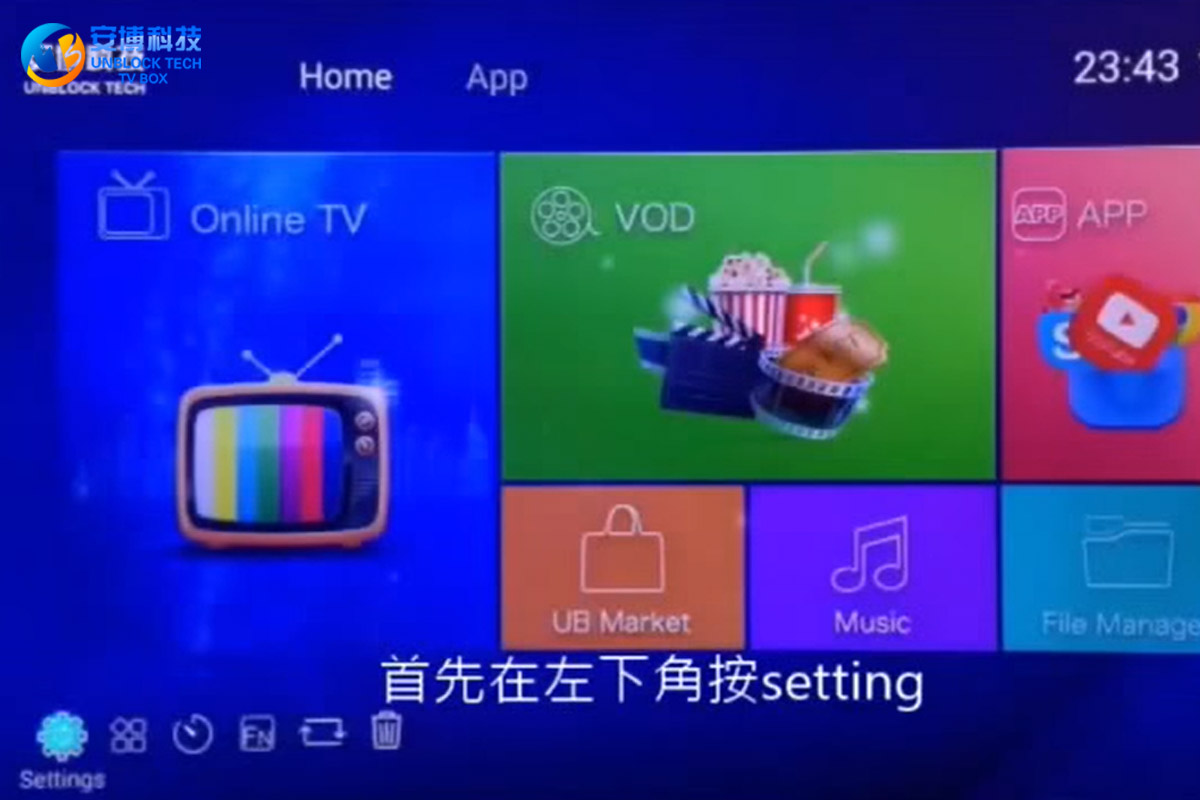
So how can I reset UBOX Gen 2 to factory settings? First, press "setting" in the lower-left corner, enter the menu, and play the drop-down, find the "Backup & reset" option, click on it, find the "Factory data reset" on the left, and click this option. Select "Reset MediaBox" below and press "Erase everything" again. After that, your UBOX 2 will start to factory reset.
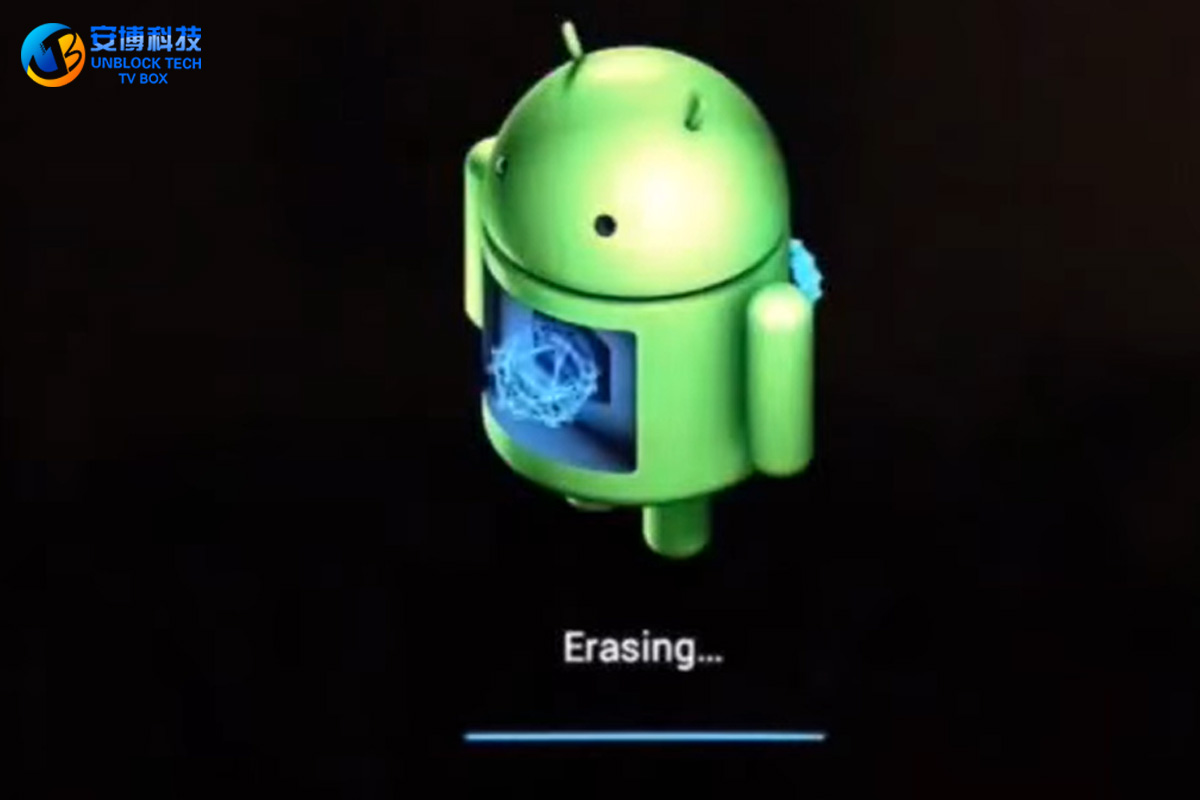
Until we see the logo of an Android robot, means that your UBOX 2 is in the process of restoring the factory settings. At this time, do not force it to turn on, otherwise, it may cause damage to the TV box hardware. After waiting for some time, we saw the logo of "Unblock Tech" and entered the language selection, which means that we can start setting up our Unblock Tech TV box.
But TV boxes and other electronic products have a common problem, that is, they will become more and more stuck after a period of use, because after a long time of watching, after a long time of use, a lot of log files will be left, leaving a lot of caches. This will make our TV box more and more stuck. There are many ways to solve the TV box being stuck, and the fastest and most convenient way is to restore the UBOX TV box to factory settings.
So how can I reset UBOX Gen 2 to factory settings? First, press "setting" in the lower-left corner, enter the menu, and play the drop-down, find the "Backup & reset" option, click on it, find the "Factory data reset" on the left, and click this option. Select "Reset MediaBox" below and press "Erase everything" again. After that, your UBOX 2 will start to factory reset.
Until we see the logo of an Android robot, means that your UBOX 2 is in the process of restoring the factory settings. At this time, do not force it to turn on, otherwise, it may cause damage to the TV box hardware. After waiting for some time, we saw the logo of "Unblock Tech" and entered the language selection, which means that we can start setting up our Unblock Tech TV box.



